Ask Claude for a leave tracker, expense claims, a booking log, approvals or a weekly check-in. Haechy puts a
working copy online for your team in a minute or two, with sign-in and its own database. Then you ask Claude to
change whatever you like.
Five starter apps are ready today. Each one is a small, complete app, not a form builder: you get its full code, so Claude can reshape it later.
Know who is off before you say yes to a day
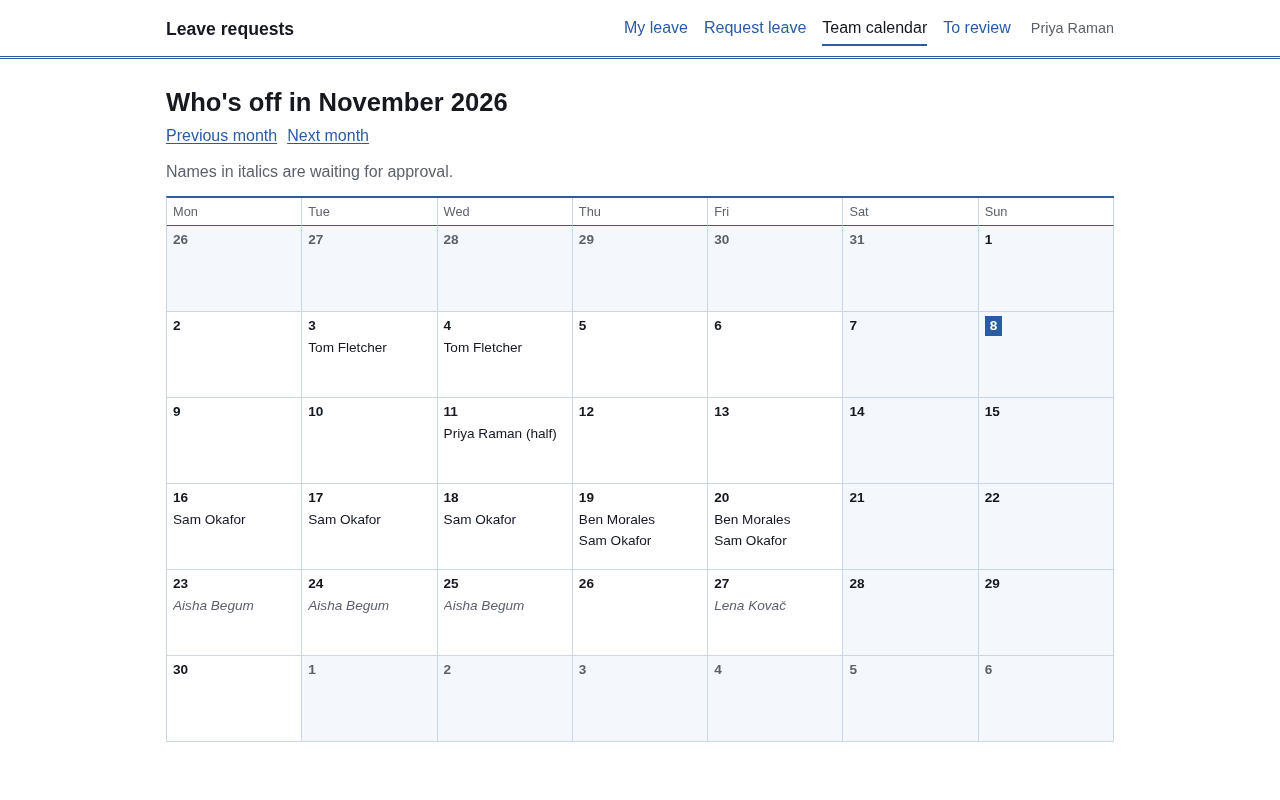
People request holiday, sick leave or other leave, for a few days or half a day. Each person sees how much of their yearly allowance is left. You see who else is already off on those dates before you approve, and everyone gets a month calendar of who is away.
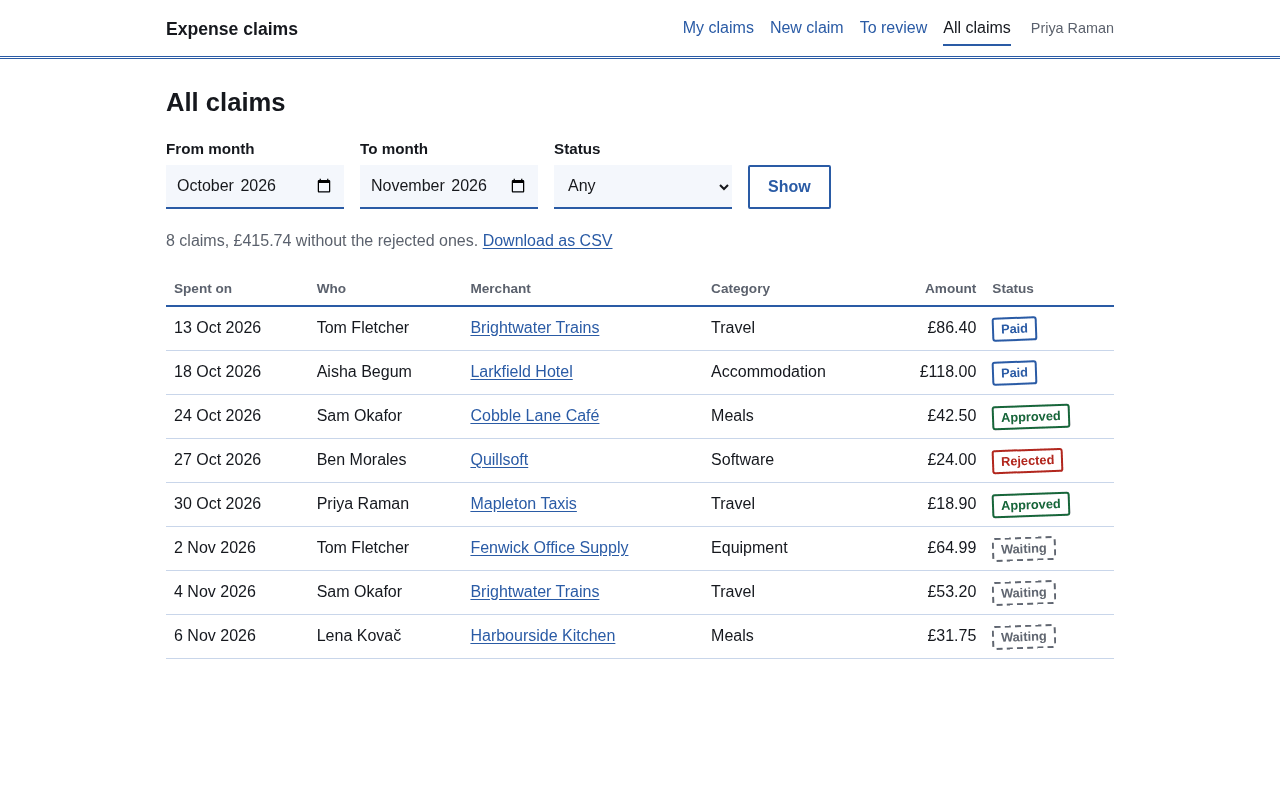
Someone photographs a receipt on their phone and submits the claim. You approve or reject it with a note, mark it paid when you have paid it, and download the month as a CSV for your bookkeeper.
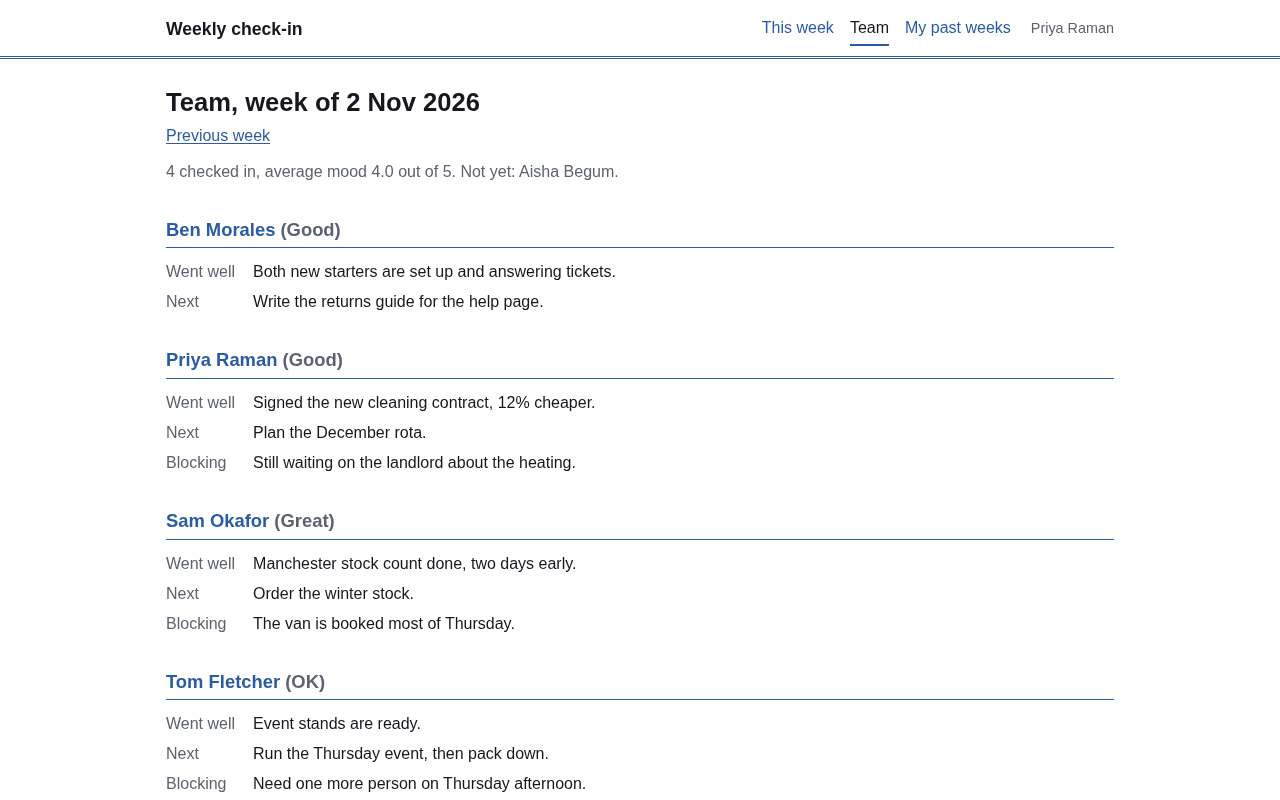
Each person answers three short questions and picks a mood once a week. At 8 on Monday morning, a scheduled job emails you last week's answers, with anything blocking listed first.
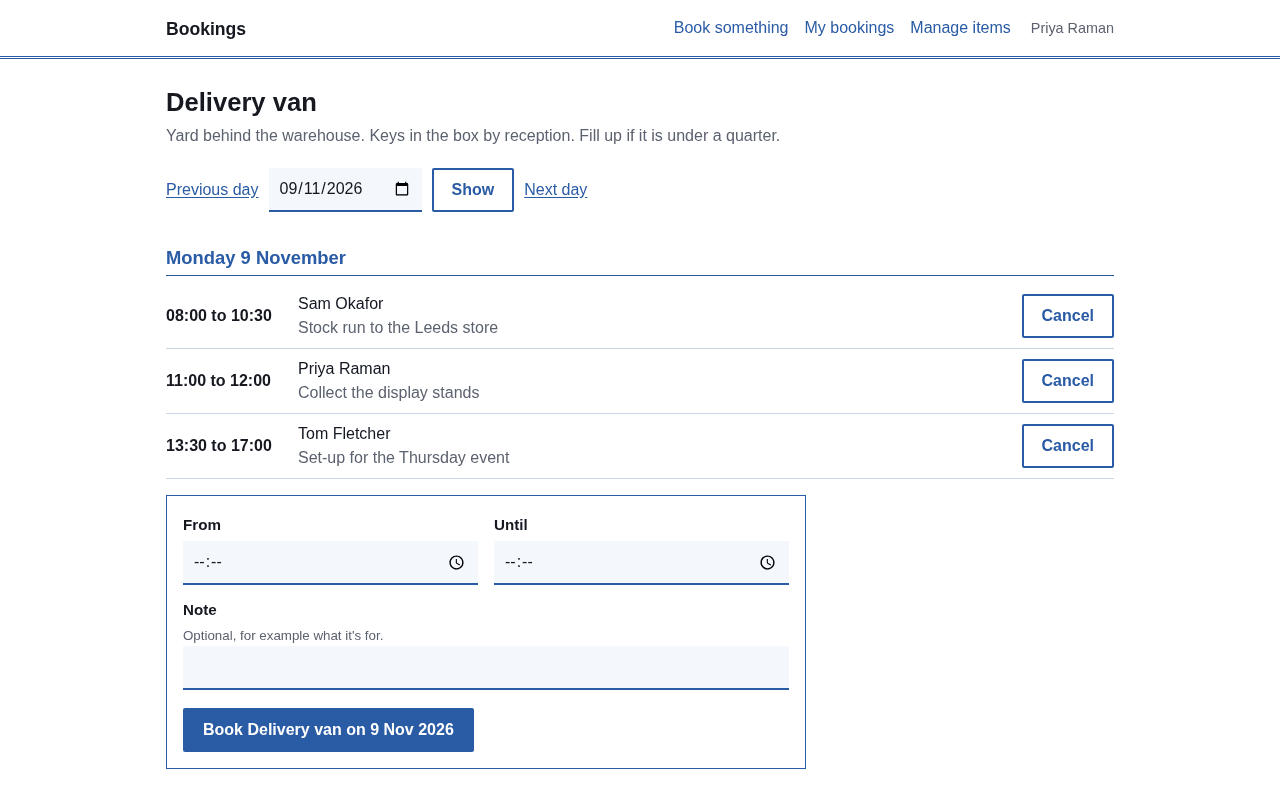
Bookings is a shared log for things your team shares: a van, a meeting room, a projector. An admin adds each item with where it is and a note, such as where the key lives. Anyone opens an item, sees who has it hour by hour, and books a slot. If the time clashes with another booking, the app says who has it and when, and asks for another time. Two people clicking at the same moment cannot both get it. People can see and cancel their own bookings, and admins can cancel anyone's.
Opening hours are a setting (7:00 to 20:00 to begin with), and the times follow your time zone.
Say to Claude
Set up a booking app on Haechy so my team can book the van and the meeting room.
Good to know
It sends no emails, shows one item's day at a time, and a booking sits inside one day. Repeat bookings and confirmation emails are changes you can ask Claude to make.
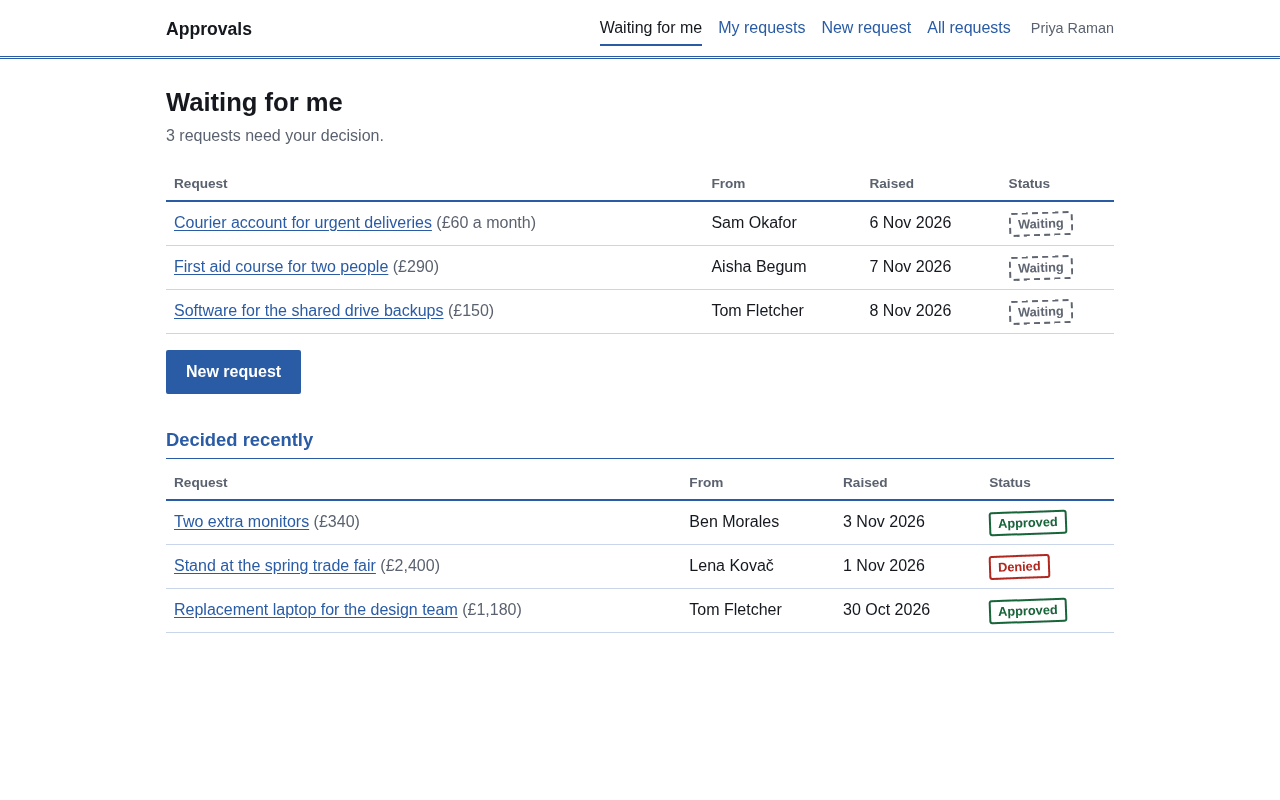
Send a request to the one person who decides
Approvals suits purchases, discounts and anything else that needs a yes. Someone raises a request with a title, details, an optional amount and a needed-by date, and picks who should decide. The approver gets an email with a link, approves or denies (a comment is required to deny), and the requester is emailed back. Either side can comment, and the other is emailed. Every step stays in the request's history, and the requester can withdraw a request that is still waiting.
Nobody can approve their own request, admins included. Admins also see an all-requests list they can filter by status.
Say to Claude
Set up an approvals app on Haechy where people send requests to an approver.
Good to know
Each request has one approver and no file attachments (links go in the details). Amounts are free text, so there are no totals. A second approver or attachments are changes you can ask Claude to make.
Tell Claude which app you want. Name the job, and say you want it on Haechy:
Set up a holiday and leave request app for my team on Haechy.
Set up an expense claims app for my team on Haechy.
Set up a weekly team check-in on Haechy that emails me a summary every Monday.
Claude puts the app online and gives you its address, in a minute or two. It starts private: only you can open it.
Tell Claude who should be able to sign in. Add your approvers and admins too, or they cannot open the app and will not get its emails. Colleagues sign in with a link sent to their email, with no account to create.
Setting up your own Haechy account includes a one-time mobile number check. See the sign-in and sharing docs for who can open what.
Make it yours
A starter is where you begin. Because Claude has the whole app's code, you change it by asking. Some requests that fit these apps:
"Change the yearly allowance to 20 days." (A setting you can change at any time.)
"Add our country's public holidays for 2027 so they are not counted as days off." (Leave counts weekdays only until you ask.)
"Give Sam 20 days and everyone else 25."
"Switch expense claims to euros and set the categories to Travel, Client meals and Training."
"Add a cost center field to the claim form and to the CSV."
"Requests over $1,000 also need Priya's approval after the first approver."
"Email the person a confirmation when they book the van."
Claude changes the code and puts the new version online, and your data stays where it is. If a change goes wrong, ask Claude to put the previous version back.
What it costs for your team
A starter costs nothing extra. It takes one of your plan's app slots and uses the plan's allowances, like any app.
Say you want a leave tracker for a team of 20 who all sign in. Free allows 2 apps and 5 people who can sign in, so 20 people need Pro: $25 a month, or $250 a year, with room for 5 apps and 25 people. Add expense claims and a weekly check-in for the same team and that is three apps, still inside Pro. Pro also includes 5,000 app emails a month; Free includes 300.
A team of 5 or fewer can run up to two starters on Free. Prices as of November 2026; the pricing page is always current.
What a starter does not do
Knowing this saves you a wasted afternoon. A starter does not:
Most of these are changes you can ask Claude to make.
If you are checking this for your IT team: a starter is a normal Haechy app, so it runs with the same sign-in and the same limits on outside services as any other. The IT page has the detail, and regions says where an app's data is stored.