Get receipts out of your inbox and claims paid on time
Your team photographs a receipt, fills in the form and sends the claim. You get an email, look at the receipt and decide with a note. Then you mark it paid. At month end you download one CSV for the bookkeeper. Ask Claude for Haechy's expense starter and that whole route is online for your team.
Say this to Claude
Set up an expense claims app for my team on Haechy.When Claude asks who should use it, name your team and whoever approves. Anyone who isn't added can't open the app or receive its emails. It is online in a minute or two.
A claim, from the taxi to the spreadsheet
At the curb
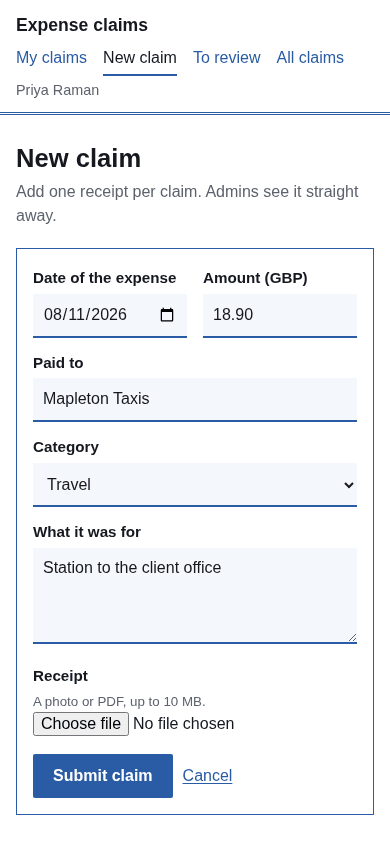
Someone has just paid for a client taxi. On their phone they open the app's address, tap New claim and fill in the date (today unless they change it, never a future date), the amount, who they paid, a category and what it was for. Then they tap the receipt field and the phone offers its camera. A photo is enough. A PDF or an image file works too, up to 10 MB. The receipt is required: a claim doesn't send without one.
In the approver's inbox
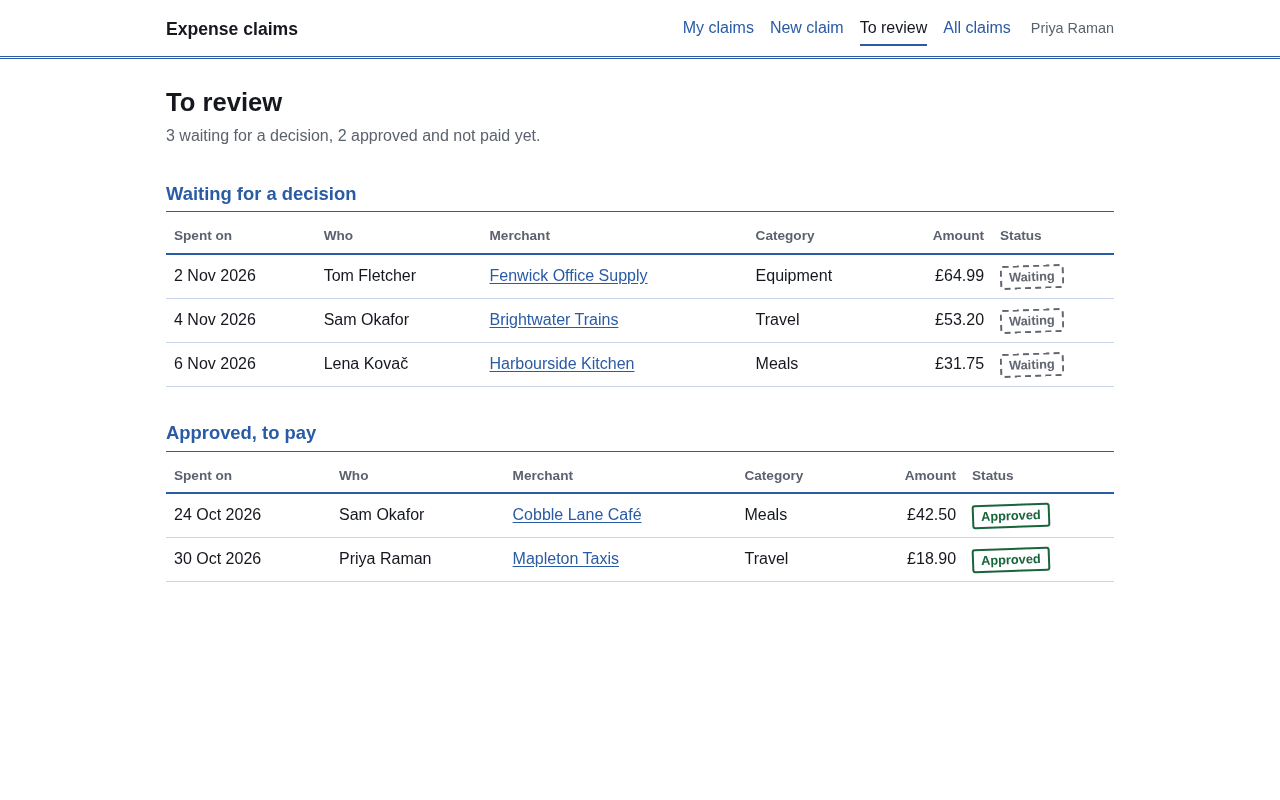
Everyone listed as an approver gets an email, "New expense claim", with the amount, category, who was paid, the date and a link. The person who submitted it is left out of that email. Claims waiting for a decision also sit in a To review list, next to claims that are approved and still unpaid.
At the decision
Opening the claim gives a link that opens the receipt, with Approve and Reject buttons and a note field below. A rejection needs a note, so the person always hears why. The claimant is emailed the outcome with your note, and a reply goes straight to whoever decided.
On payday
You pay people the way you always do, through your bank or payroll. Back in the app, you press Mark as paid on each approved claim, which stamps the date. That button only records a status: no money moves, and the claimant isn't emailed. It is there so the unpaid list stays honest.
At month end
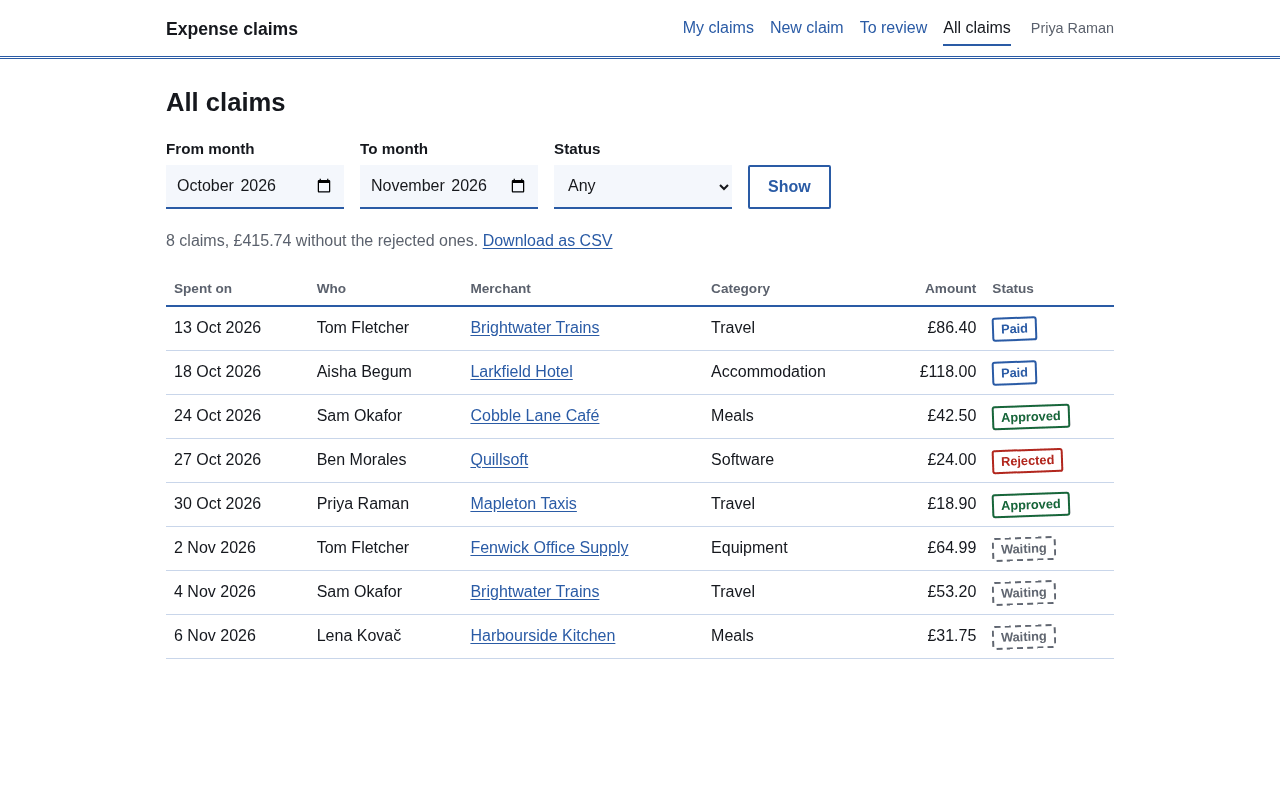
The All claims page filters by month range and status and shows totals (rejected claims left out). Download as CSV gives you one file with a row per claim: claim number, date, name, email, merchant, category, amount, currency, description, status, who decided, when, the note and the paid date. That is what your bookkeeper receives. Receipts are not inside the file; they stay in the app, one click from each claim.
Who sees what
| Role | Sees | Can do |
|---|---|---|
| Anyone on the team | Their own claims and receipts | Submit claims |
| Approvers (admins) | Every claim and every receipt | Approve, reject with a note, mark paid, filter, download the CSV |
Nobody else can open a receipt. Each receipt link is created when it is asked for and stops working after five minutes, and only the person who claimed or an admin can ask. Be aware that an approver can also decide their own claim; if you want that blocked, ask Claude to add the rule.
Where the receipts live
Receipts are stored in your workspace's private file storage for the app, not on a public web address and not in anyone's inbox. The database keeps a reference, and the file opens only through the short-lived link above. Storage is counted per workspace: 1 GB on Free and 10 GB on Pro (as of November 2026). The app runs in the region you chose when it was created: US, EU, UK or Australia.
Some services we use to send email, verify phone numbers and take payments process data outside your chosen region. See our sub-processors.
Settings you can change
Who approves: the email addresses of your approvers. By default that is you. Currency: one currency for the whole app, which you set to yours. Categories: a list you edit, starting with Travel, Meals, Accommodation, Equipment, Software and Other. The app's name and your time zone are settings too. You change any of them by asking Claude.
Making it fit
Because you hold the app's full code, shaping it is a sentence to Claude:
- "Add a cost center field to the claim form and to the CSV." Or a project code, plus a filter by project on All claims.
- "Change the currency to EUR and the categories to Travel, Client meals, Training."
- "Make claims over 500 need a second admin."
Claude changes the code and puts the new version online; the claims already in the database stay where they are.
Where it stops
It is a place to collect, approve and hand over claims, not an accounting system.
If you need one of these, ask Claude to build it into your copy.
Does it cost extra?
Nothing beyond your plan. The starter uses one app slot; Free includes 2 apps and up to 5 people who can sign in, and Pro ($25 a month, as of November 2026) 5 apps and 25 people. Full limits are on the pricing page. To start, connect Haechy to Claude; the other starter apps work the same way.