Your app keeps working while you're asleep
Tell Claude when something should happen and Haechy runs it at that time, whether or not anyone has Claude open. The Monday report sends itself. Old records get tidied overnight. People are nudged on Friday afternoon. In Haechy this is called a scheduled job, and you set one up with a sentence.
Under the hood, a schedule is a timetable for one page in your app. At the time you set, in your timezone, Haechy opens that page, and the page does the work: sends the email, updates the records, whatever Claude built it to do. That is the whole idea. The rest of this page is what to ask for.
A working week of recipes
Monday, 8:00: the report that arrives before the meeting
Every Monday at 8am, email the team a summary of last week's requests.Claude adds a page to your app that builds the summary and emails it, then sets the schedule. Your app can email people who have access to it, so the team members need to be on the app. If you want the summary to go to someone outside, that isn't possible, and Claude will tell you.
Every night, 2:00: the tidy-up
Every night at 2am, mark requests that were closed more than 90 days ago as archived.Nobody opens the app at 2am, and nobody needs to. This is the job for housekeeping that you would otherwise forget: archiving, clearing out half-finished drafts, rebuilding a total that the app keeps.
Weekdays, 9:00: the reminder
Every weekday at 9am, email anyone who hasn't submitted their timesheet yet.A reminder is a schedule plus a question the app can answer ("who hasn't?"). On Free the shortest gap between runs is an hour, which is fine for a morning nudge. If you want something that checks every few minutes, that is a paid-plan job (see the table below).
Friday, 4:00: the weekly digest
Every Friday at 4pm, send me a digest of new requests and anything that has been waiting more than three days.Same pattern as the Monday report, aimed at you, with a rule for what counts as worth mentioning. Change the rule whenever you like by asking Claude.
How often, and how many
| Plan | Shortest gap between runs | Scheduled jobs per app |
|---|---|---|
| Free | 60 minutes | 5 |
| Pro | 5 minutes | 10 |
| Team | 1 minute | 25 |
| Business | 1 minute | 50 |
Numbers as of November 2026. A job can run at a set time of day or week, or every so many minutes within those limits. Tell Claude your timezone ("8am London time") so the time means what you think it means.
On Free, an app that has gone to sleep is woken for each run, so the Monday email still goes out. A run that is still going when the next one is due is recorded as skipped, so one job never overlaps itself. A run has up to 5 minutes to finish.
Try it before you trust it
Ask Claude to run it now.
Run the Monday report now.The job runs straight away, once, and Claude shows you what happened. You don't have to wait for Monday to find out whether the email looks right. Every run is kept in the job's history with its status, the response from your app, how long it took and the error if there was one. The last 50 runs are kept.
When a run fails
The history is the first place to look, and Claude can read it. Ask "why didn't last night's tidy-up work?" and it reads the job's recent runs and, if needed, the app's own log, then fixes the page. A run that is missed, because it was skipped or the page didn't answer, is not replayed later. The next run happens at its normal time. If you need to catch up, ask Claude to run the job now.
Worked example: a weekly check-in that writes its own summary
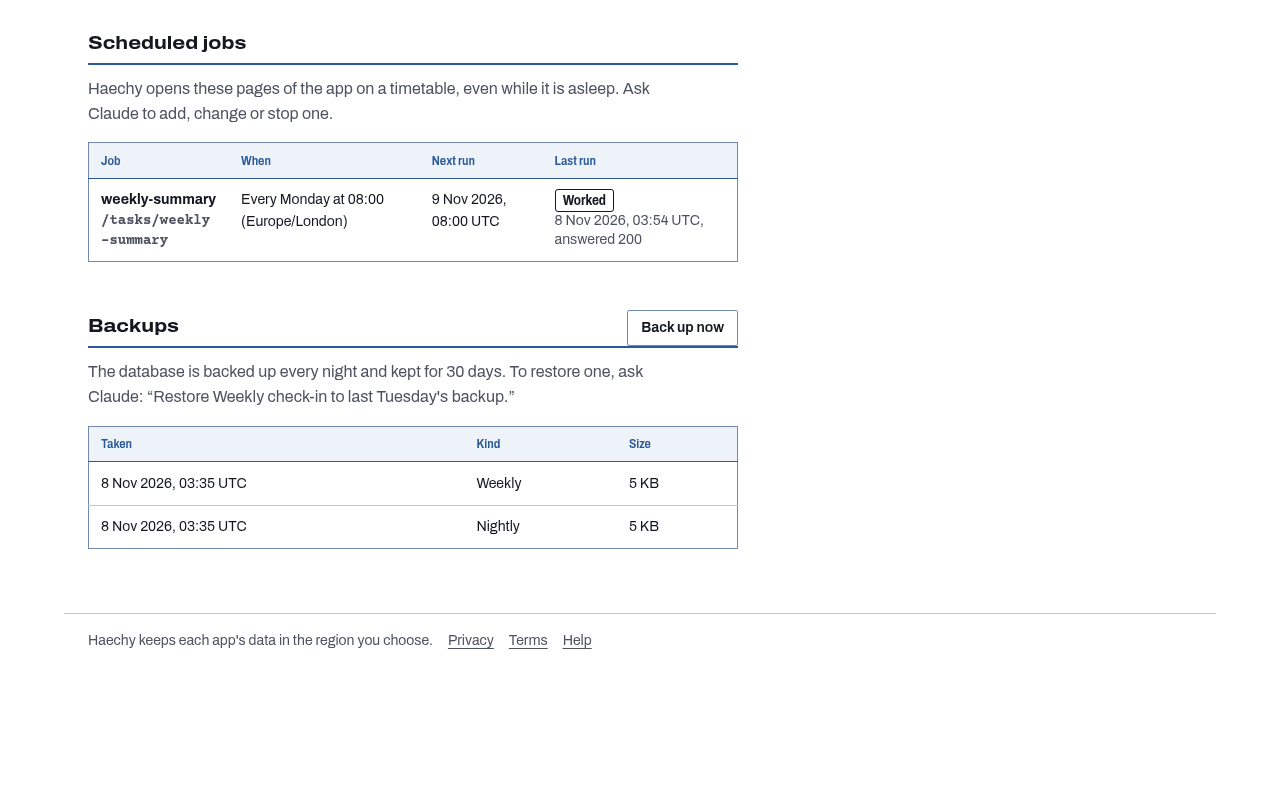
The weekly check-in starter is a small app where each person answers three short questions once a week (what went well, what is next, anything blocking) and picks a mood. It comes with a schedule already in place: every Monday at 8:00, in the app's timezone, it emails last week's summary to the app's admins. Anyone who is blocked is listed first, followed by each person's mood and answers, and who hasn't checked in yet.
You don't set anything up for this. Ask Claude for the starter, and the app and the Monday job arrive together. To see the email without waiting a week:
Run the weekly summary now.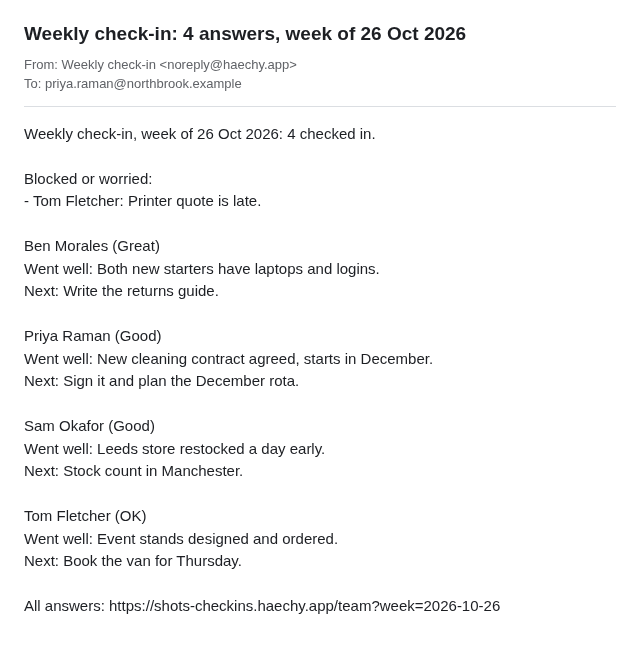
It covers last week, so it needs at least one check-in from last week to have something to say. To change when it goes out:
Send the summary on Friday at 4pm instead.Claude has scheduled tasks too
Scheduled tasks in Claude are a feature of Claude itself, and they are separate from this. A Haechy schedule belongs to your app: it opens a page in your app at the time you set, whether or not a Claude conversation is open, and it needs nothing from Claude once it has been set up.