Change your live app without worrying
Your team is using the app, and now you want one more field on the form. The nervous part is the change itself. Haechy keeps every version and looks at the app right after each change. Before a change goes live it checks the code for pasted keys, packages with known vulnerabilities and risky code, and the app can reach only the outside services a person has approved.
A change that goes wrong, start to finish
This is an illustration of how the parts fit together, not a report from a customer.
Say your expense app is live and you ask Claude to add a "project code" column. Claude updates the app so it shows the new column, and the change goes live. But the new column reads from a table of project codes that was never created in the database.
Right after the change goes live, Haechy opens the app's home page and the pages you named, and sees that one of them answers with an error. The log has a clue, and Haechy passes it on: a table is missing. Claude tells you that straight away, in plain words, rather than saying "it's ready".
You write:
Put it back how it was before the project code change.Claude lists the versions and puts the earlier one back. That puts the app back as a new, numbered version. The colleague who was filling in a claim carries on with the old form. Your claims in the database were never touched, because putting a version back moves the code only. When you're ready to try again, Claude fixes the missing table first.
If you then change your mind about the undo, that works too: the undo is itself a version, so you can go forward again.
Every change is a version you can go back to
Each time a change goes live it becomes a numbered version showing who made it and when, with a one-line note. To go back, say "put it back how it was yesterday" and Claude finds the right one. You can also see every version, and what the check found each time, on the app's page in the console.
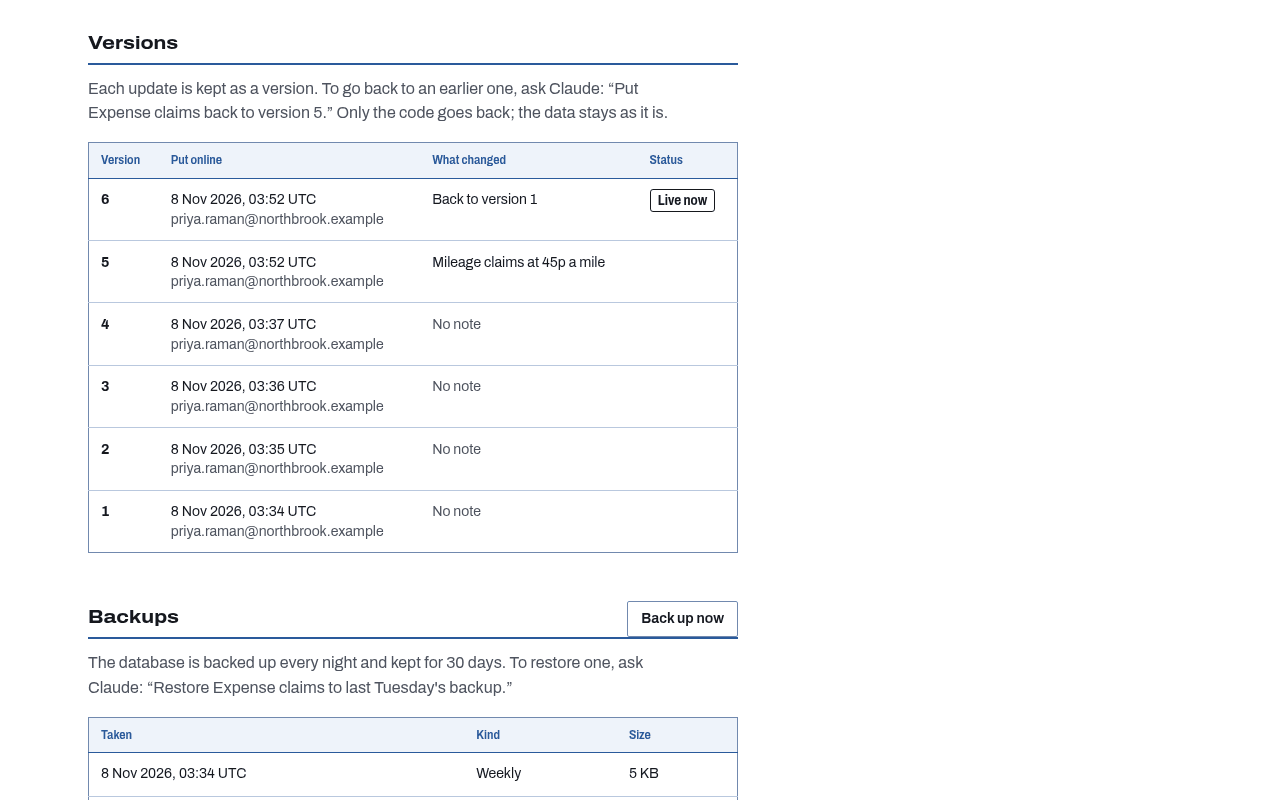
- Haechy keeps the newest 20 versions.
- The newest few come back in seconds. Older ones are rebuilt, which takes about as long as a normal change going live.
- Putting a version back changes the app's code. Your database, stored files, settings and approved outside services stay exactly as they are. If the data is what went wrong, that is a backup and restore job; see backups and restore.
A look at the app right after the change
Before Claude says the change is ready, Haechy opens the app's home page and up to 10 other pages you name, and reports what each one answered. When something fails, it reads the end of the app's log and points at likely causes: a missing table, a missing setting, an outside address the app isn't allowed to reach yet.
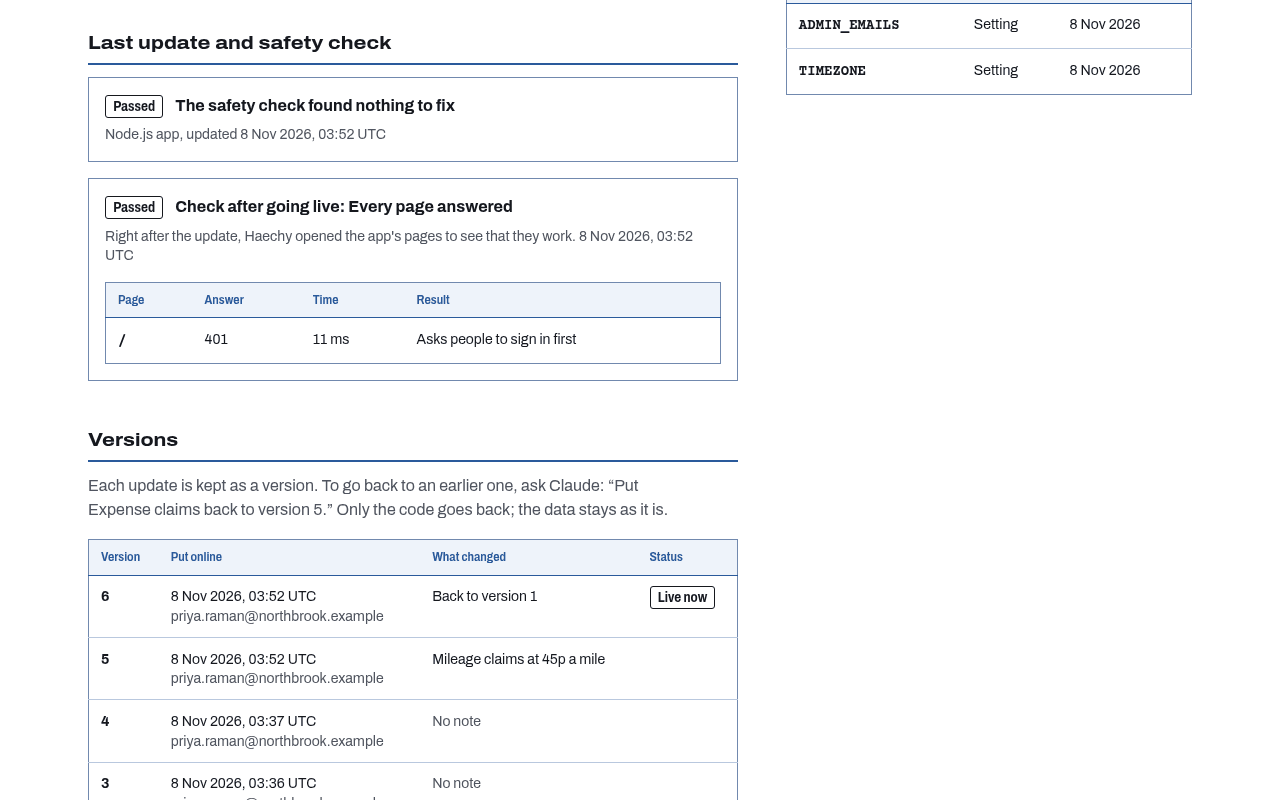
What this is: a check that your pages load. What it is not: a browser test, a sign-in test (a page that needs a signed-in person may answer 401 or 403, and that is fine) or a way to catch every bug. It reports; it doesn't undo anything by itself. That is your call, one sentence away.
A code check before every change goes live
You paste an API key into the chat, and Claude, trying to help, puts it into the code. Haechy reads the code before it goes live and blocks it when it finds a key written into it, showing file and line, plus the fix: keep the key as a stored setting that the app reads, and take it out of the code. The guide Keep API keys out of the app Claude builds goes through what to do if one already leaked.
On every plan, it looks for keys first:
- Keys and tokens from AWS, Stripe (live keys), Anthropic, OpenAI-style services, GitHub, Slack (tokens and webhook addresses), Google, Twilio, SendGrid and Resend
- Private keys pasted into the code
- Database addresses with a password written into them
- A general rule for a key-looking name set to a long random-looking value
.envfiles, which block the change outright. Example files such as.env.exampleare ignored.
Keys and .env files always stop the change. Then it goes further than keys:
- Packages. It reads the exact versions from your lockfile and checks them against the OSV database of known vulnerabilities and malicious packages. A malicious package, or a critical vulnerability in a package the app runs with, stops the change. Less serious findings are shown as warnings with the version to update to.
- Risky code. Request input run as code, as a shell command, as SQL or in a template, and a route that returns every secret, stop the change. TLS checks turned off, open CORS, debug mode and unprotected admin or debug routes are shown as warnings.
- Outside services. It lists any outside addresses the code calls and whether you have approved each.
When a check stops a change for a package or a risky line, the workspace owner or an admin can allow that exact finding from a link in the console, for example if they know the flagged line can't be reached by outsiders. Claude can't allow it. If the package version or the line changes, the check decides again. Keys and .env files can't be allowed.
It is a check for known vulnerabilities and named patterns. It doesn't find every bug, and it is not a review or a test of the code. Settings you store through Claude are encrypted and shown by name only, never by value.
Outside services wait for a person's yes
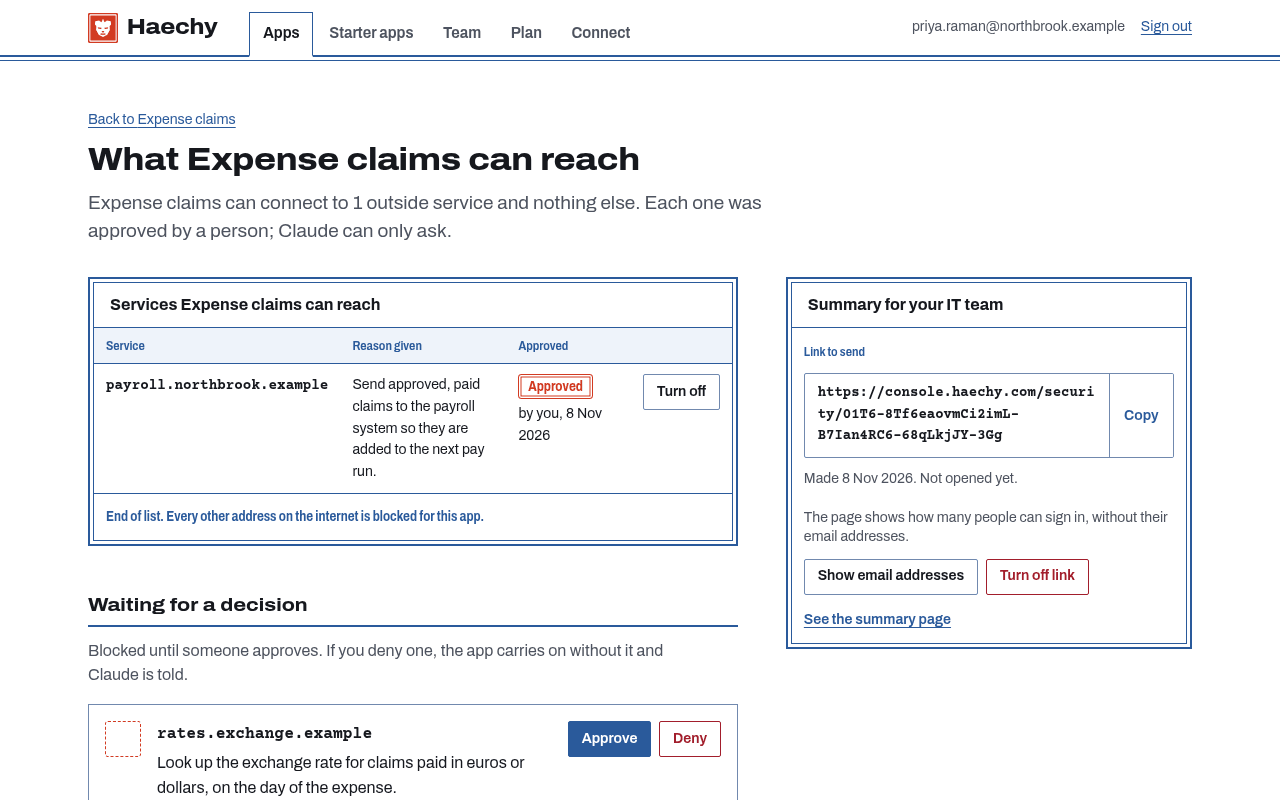
An app on Haechy cannot reach anything on the internet until a person approves that exact service. Claude can ask, with a plain-English reason and a link, but it can never approve for you. The owner approves while signed in, or an admin on Team and Business.
The app's Connections page lists every outside service the app can reach, why, who asked (Claude, the check, or you), who approved and when, and recent blocked attempts. You can approve, deny or turn one off from there. On Free an app can have 5 approved outside services; on paid plans there is no limit, and each one is still approved by a person. The full walkthrough is in approving outside services.
Before an app is opened to the public (a paid-plan setting), Haechy lists the pages and endpoints anyone could then open without signing in, next to the outside services the app is approved to call, and says so if it can't list them all. The app goes public only after you confirm that list in the console, and Claude can't confirm it for you.